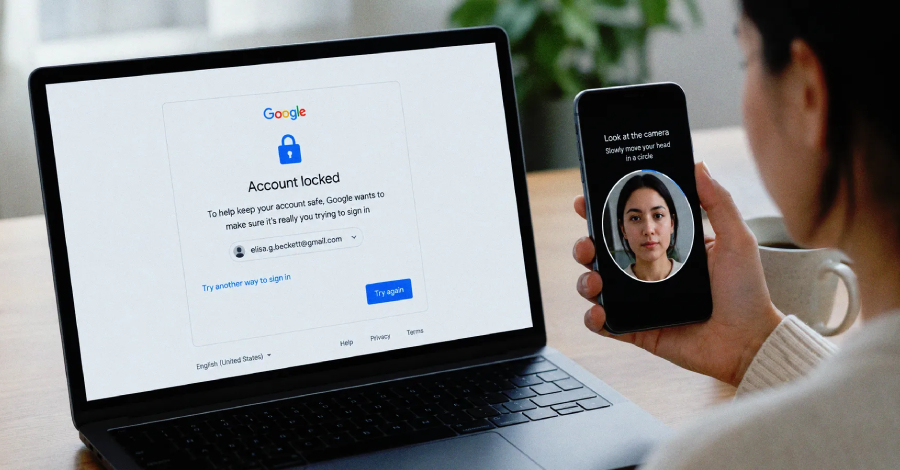

Google has announced a new way for users to sign in to their accounts by letting them take a selfie video.
The selfie for sign-in feature is an additional option on top of existing recovery methods — such as a recovery email address or phone number — designed to help users regain access if they are ever locked out or don’t have access to their usual phone or computer.
As part of the setup process, users look into their device’s camera and complete a “few short, guided head movements” to capture their face from different angles. If they later have trouble signing in, they take another selfie, which is compared to the one on file to confirm their identity.
“Selfie video compares the new video to the one you set up to confirm it is really you and help you get back into your account,” Google said in a blog post.
The feature is entirely opt-in, and users can delete their selfie video from their account at any time.
Purpose and Scope
According to a help document, the feature serves three key purposes:
- Help users back into their account if they can’t sign in.
- Unlock more features or services, when prompted, by verifying that a user is a real person who hasn’t violated Google’s policies.
- Allow users to create an avatar for AI content that looks and sounds like themselves.
The selfie video sign-in option is not available for Google Workspace accounts, Child accounts, or Google Accounts enrolled in the Advanced Protection Program. Users also cannot add a selfie video while already locked out of their account or mid-way through the account recovery process.
How Verification Works
When a user is unable to sign in, they may be prompted to record a short video of their face. That video is then compared against the one saved to their account. If the faces match, identity is verified and account access is restored.
“If there are significant changes to your facial appearance, update the selfie video you’ve saved on your account,” Google advises.
Selfie videos are stored in encrypted format at rest and are used only to help users log in, unless they opt in to share the data for additional purposes. Optionally, the data can “help ongoing efforts to develop and improve facial recognition, age estimation, and other verification methods that may use your physical features or movement.”
Users can adjust this setting at any time:
- In the Google Account, go to the Selfie video page (myaccount.google.com/video-verification)
- Turn Improve Google services (optional) on or off
Related: Hand Gesture reCAPTCHA
Separately, Google Cloud Fraud Defense has announced a new hand gesture verification system that asks users to perform simple hand gestures through their device camera to complete reCAPTCHA checks. The liveness detection technology extracts hand landmark data — specifically 21 hand-knuckle coordinates — as users move their hand in front of the camera.
“The videos are never associated with a user’s identity and are deleted after the verification process,” Google said. “Google does not retain any images or videos of a user’s hand gestures beyond the verification process or use the data for any other purpose.”
Together, these additions reflect Google’s broader push toward biometric and behavioral verification methods as alternatives to traditional credential- and image-based authentication challenges.